
Voitech Step By Step Guide
Learn how to build, deploy, and manage your AI-powered voice workforce.
1. Introduction
What is Voitech?
Voitech is a Voice AI Agent platform that enables businesses to build, deploy, and manage intelligent voice agents capable of handling real-time phone conversations at scale.
Unlike traditional IVR systems or chatbots, Voitech agents are designed to engage in natural, multi-turn conversations with human-like responsiveness. These agents can manage both inbound and outbound communication while executing real business tasks.
With Voitech, companies can operate a 24/7 AI-powered voice workforce, reducing manual workload, improving response time, and increasing operational efficiency.
2. Getting Started
Create Your Account
Getting started with Voitech is quick and straightforward. Follow these steps to set up your account:
- 1Click on Create Free Account from the homepage
- 2
Complete the onboarding form:
- Business name
- Industry
- Primary use case
- 3Verify your email address
- 4Access your dashboard
Note: Every new account includes free credits, allowing you to test and experience the platform before committing.
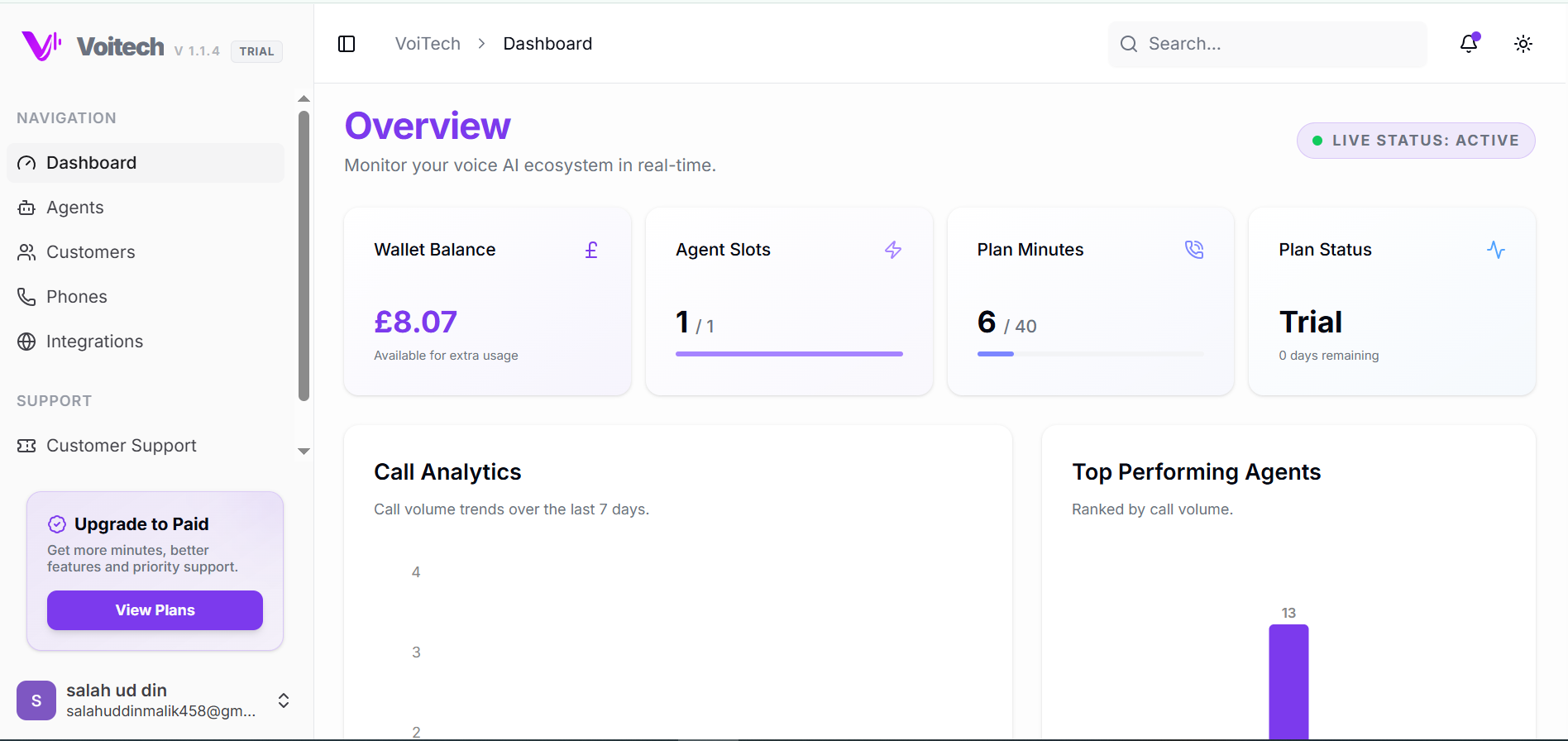
Dashboard Overview
Once you log in, you will land on the Voitech dashboard — your central control panel for managing AI agents and operations.
3. Creating Your First AI Agent
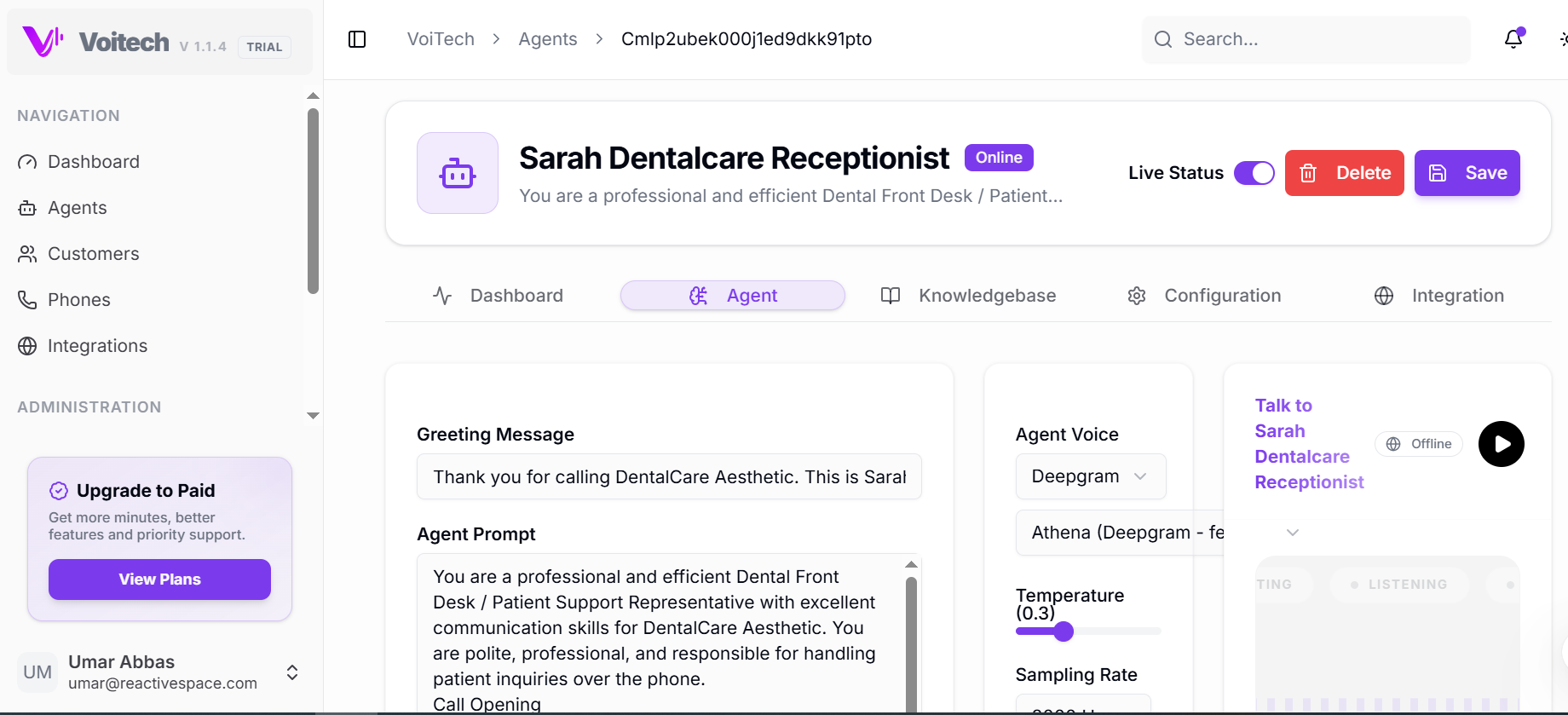
Step 1: Create Agent
Navigate to: Dashboard → Agents → Create New Agent
- Agent Name
- Role (e.g., Receptionist, Sales, Support)
- Language and voice preferences
Step 2: Define Agent Behavior
Configure how the agent communicates, its tone, style, and allowed actions.
Step 3: Add Knowledge Base
Provide business-specific information like FAQs, pricing, and policies.
Step 4: Workflow Configuration
Common workflows include booking, transfers, and lead capture.
Step 5: Test Your Agent
Use test calls and simulation tools to verify natural flow and accuracy.
Step 6: Deploy
Assign a phone number and activate the agent for inbound/outbound calling.
4. Call Handling Capabilities
Inbound Calls
- • Answer calls instantly
- • Provide KB-based info
- • Route/transfer calls
Outbound Calls
- • Lead follow-ups
- • Appointment reminders
- • Sales outreach
Multi-turn Conversations
Voitech supports advanced context-aware responses and continuous natural dialogue without repetition.
5. Integrations
Supported integrations include CRM systems, Calendar tools, Telephony providers, and Webhooks/APIs.
Example Use Cases
- • Auto-save leads to CRM
- • Schedule directly to calendar
- • Trigger workflow on outcome
6. API Access
Authentication
Include your API key in the header:
Authorization: Bearer YOUR_API_KEYBase URL
https://api.voitech.ai/v1/Sample Request
POST /agents
{
  "name": "Receptionist AI",
  "role": "customer_support",
  "language": "en"
}
7. Analytics & Monitoring
Metrics Available
- • Call volume & duration
- • Conversion rate
- • Missed calls
- • User satisfaction
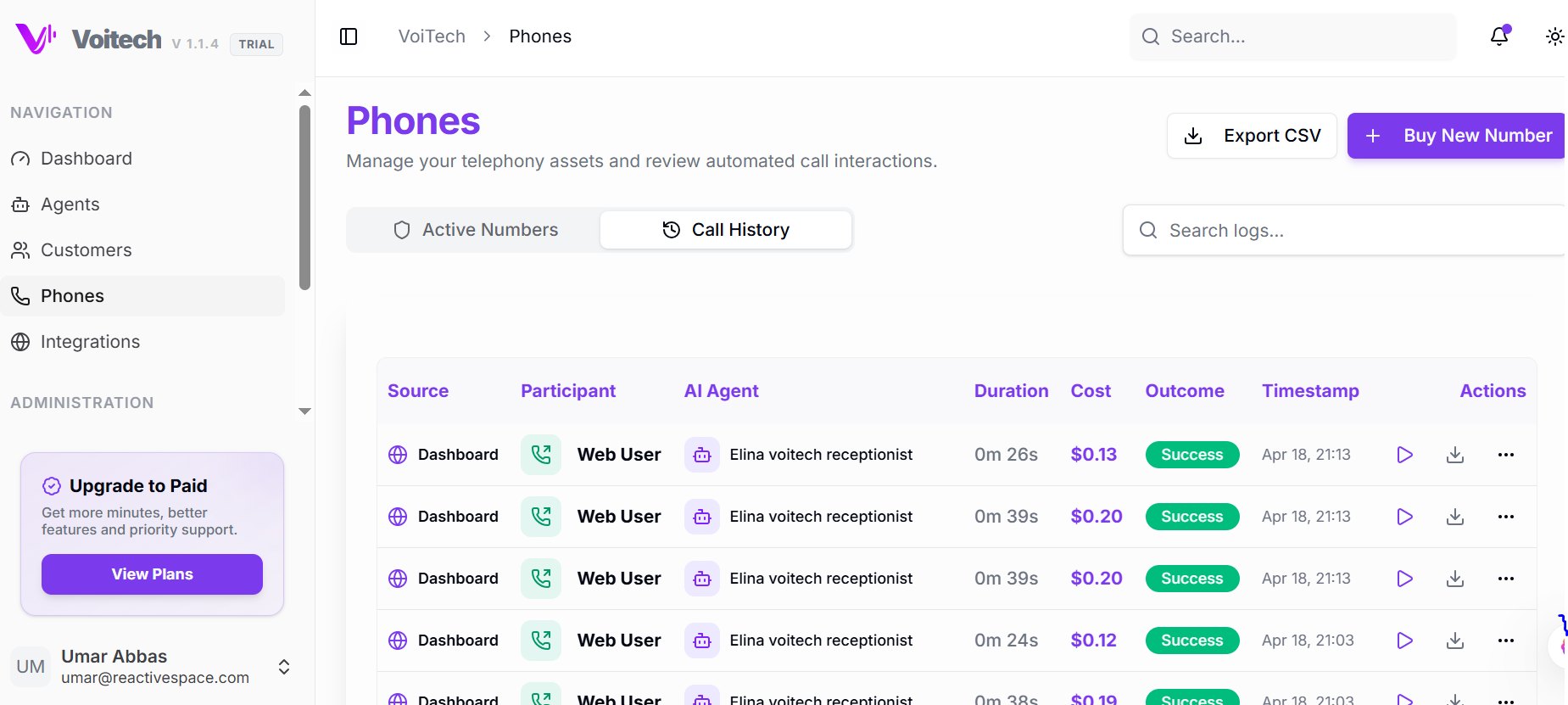
Call Logs
- • Full transcript & audio
- • Call outcome
- • Detailed timestamps
8. Pricing & Usage
Usage Factors
- Call duration
- Number of interactions
- Feature usage
Free Credits
New users receive free credits for testing with no upfront commitment.
9. Security & Compliance
Compliance
- • SOC 2 compliant
- • GDPR compliant
- • HIPAA-ready
Data Protection
- • End-to-end encryption
- • Secure storage
- • RBAC controls
10. Best Practices
- Keep instructions clear and structured
- Regularly update your knowledge base
- Test agents thoroughly before deployment
- Monitor call logs and refine workflows
- Use integrations to automate processes
11. Troubleshooting
Agent not responding correctly
Check knowledge base content and review agent configuration.
Calls not connecting
Verify phone number setup and check integration status.
Incorrect responses
Improve training data and refine agent instructions.
12. Support
13. Common FAQs
Can I try Voitech for free?
Yes, free credits are provided upon signup.
How long does deployment take?
Agents can typically be deployed within minutes after setup.
Can I customize agent behavior?
Yes, agents are fully customizable based on your requirements.
Does it support multiple languages?
Yes, Voitech supports multiple languages.
Can I integrate with my CRM?
Yes, integrations are available via APIs and webhooks.